Your notes and to-dos, in one calm place.
Noter brings the best parts of OneNote, Notion and Evernote together: notebooks with coloured sections, a clean editor, and to-do lists you'll actually keep up with. On your phone and your laptop.
Built around how you take notes
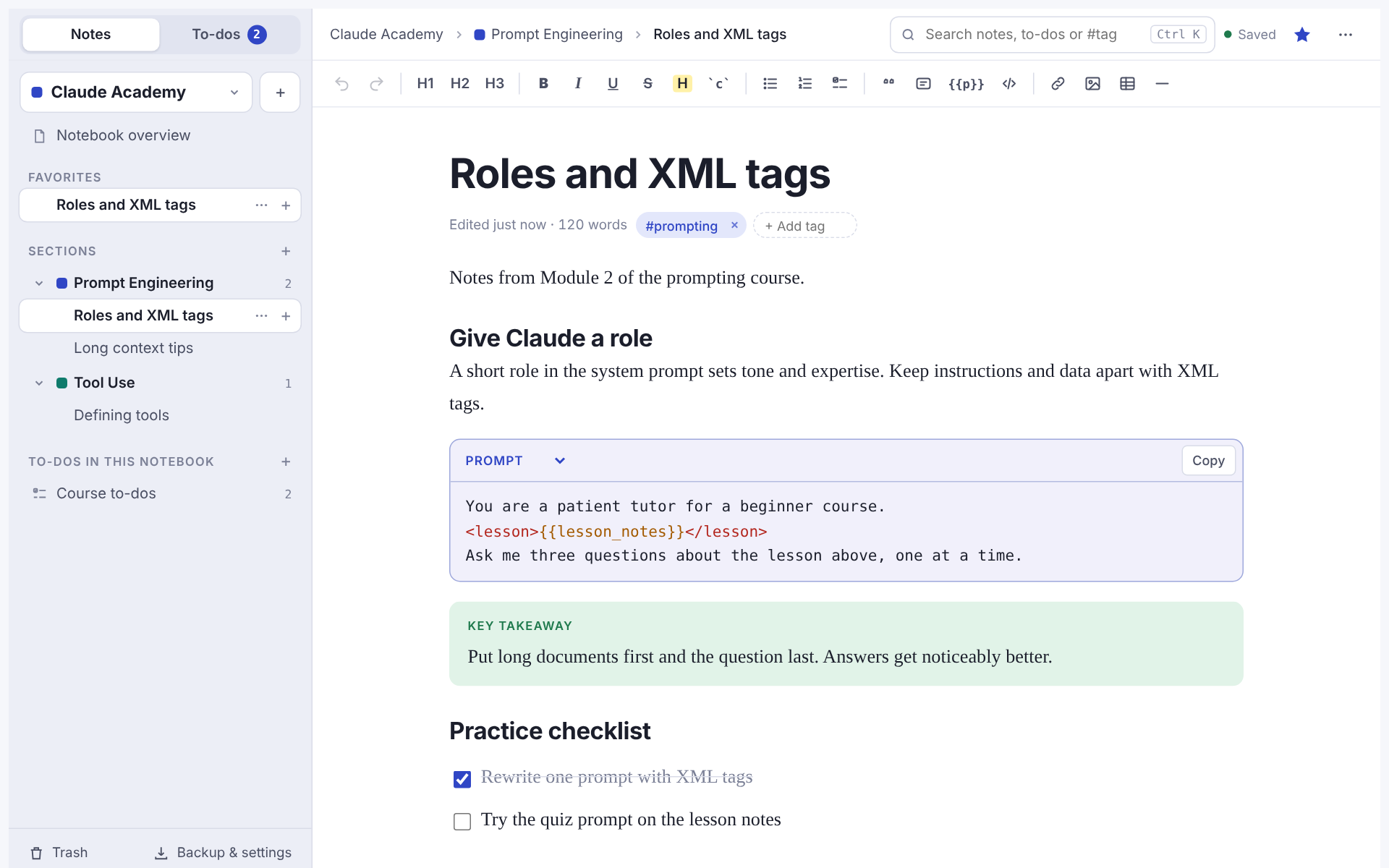
Start with a notebook. Add sections for each topic and pages for each idea. Everything stays where you put it.
Notebooks, sections, pages
The OneNote layout you know: switch notebooks at the top, colour-code sections, nest pages as deep as you like. Drag to reorder or move anything.
An editor that stays out of the way
Type / for headings, checklists, tables, quotes and callouts. Paste a screenshot straight in. Markdown shortcuts work too.
Prompt blocks for AI work
Keep your prompts tidy, with {{variables}} and <tags> highlighted and a one-tap copy button.
To-dos that live next to your notes
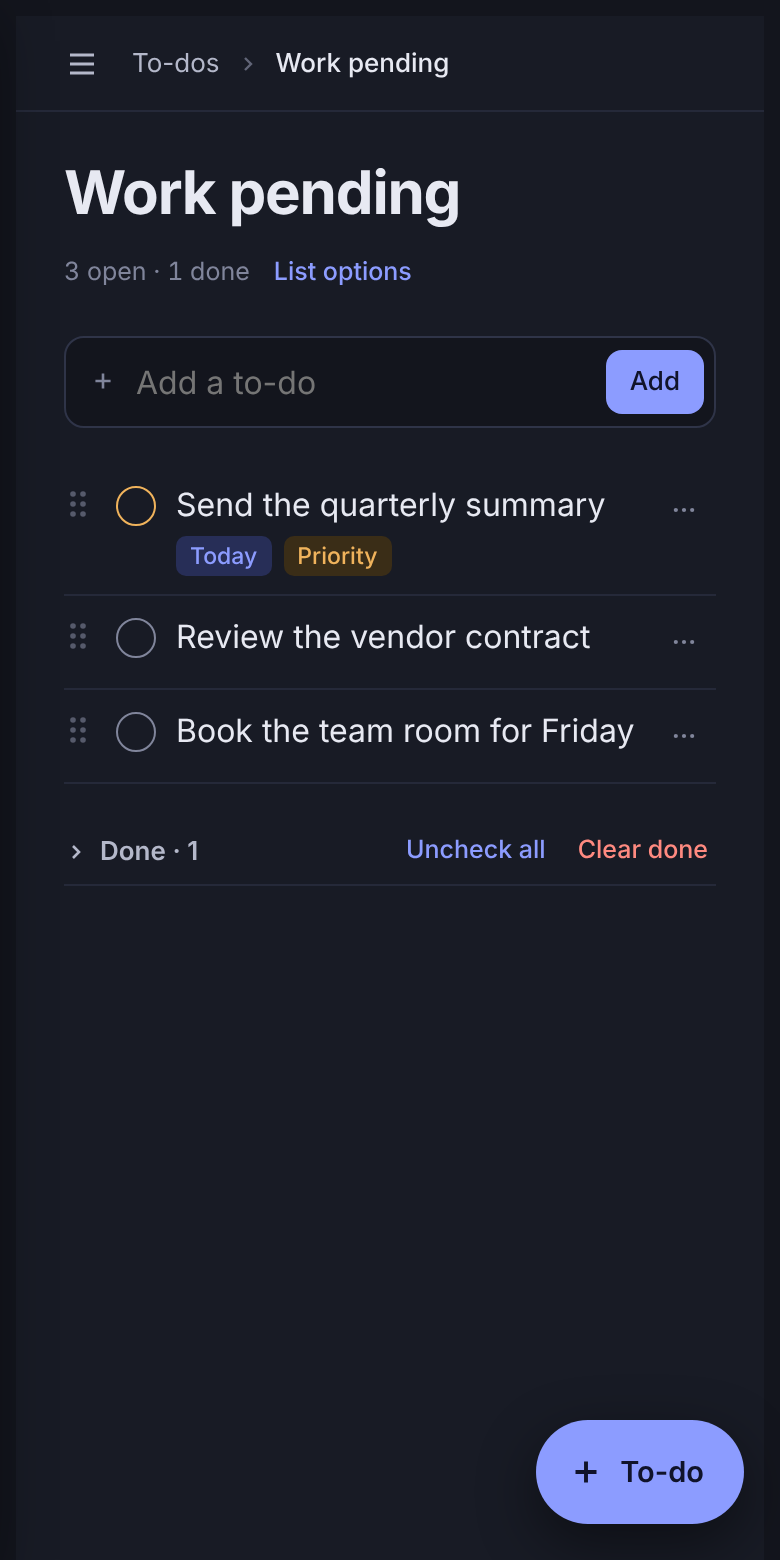
A separate To-dos tab for the lists you check every day, from work items to the shopping list.
Today and All open
See everything due today, overdue items in red, and every open item across your lists in one view.
Hold and drag to reorder
Press and drag any item to put it where it belongs, on your phone or with a mouse. Drop it on another list to move it there.
Lists inside notebooks
Give a notebook its own to-do lists. They also show in the To-dos tab, labelled with the notebook they belong to.
Yours, on every device
Sign in with a one-time link from your email. No password to remember.
Private by default
Nobody at Noter reads your notes, to-dos or images. No ads, no tracking, and your data is never sold.
Take it with you
Download a full backup of everything at any time, or export a single page as Markdown.
Link your laptop with a QR code
Like WhatsApp linked devices: scan a code with your phone to sign in on your laptop, and see or remove linked devices from your phone.
Want to try Noter?
Noter is in private testing. Ask for an invite and we'll add your email so you can sign in.